Ranked suggestions
Start with signal—not guesswork
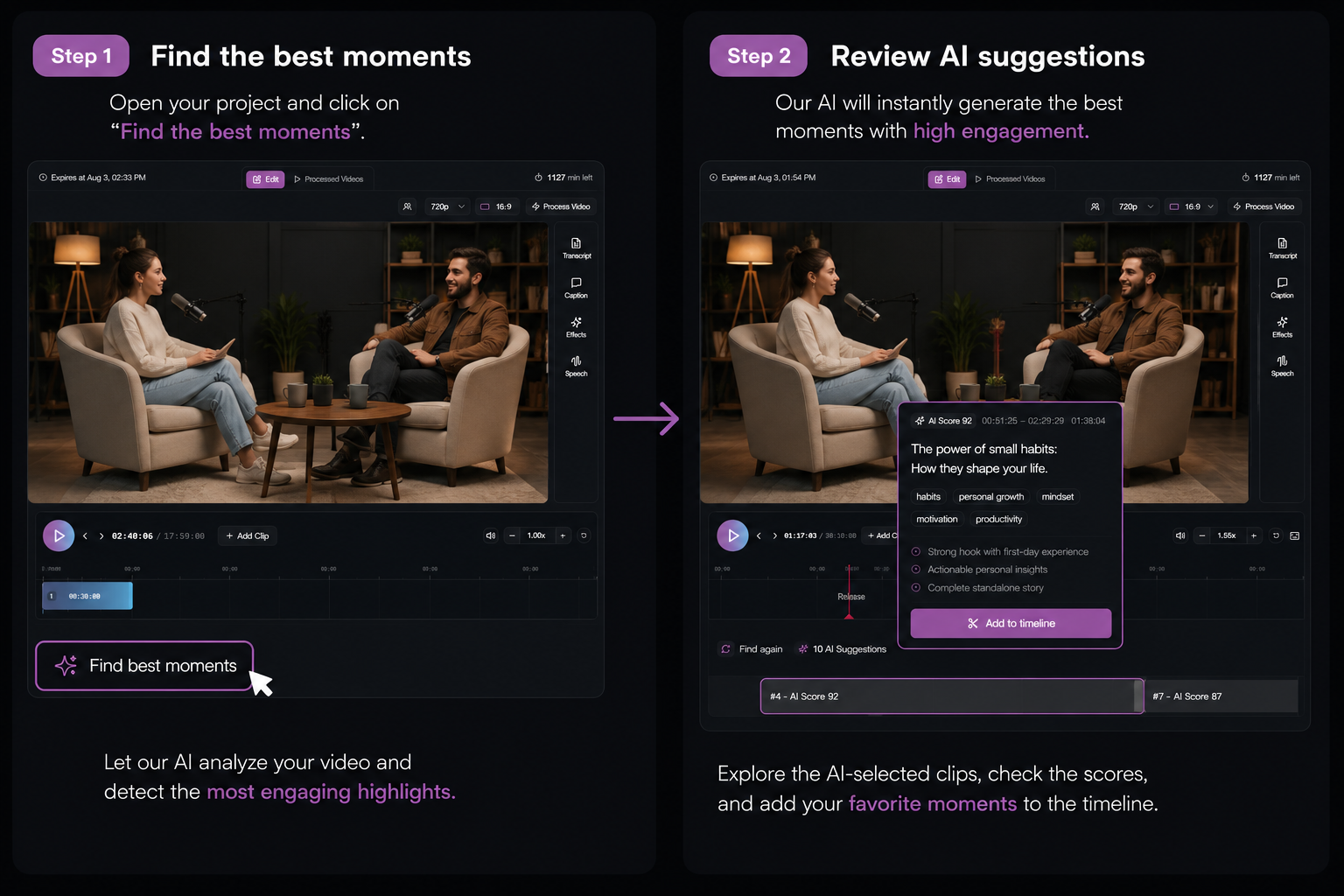
Pull AI-ranked highlights onto your timeline, trim hooks, drop weak takes, and combine the best lines into one short.
AI Highlights
AI scans your full source and ranks segments by clip potential—then you refine every in/out point on a real timeline before you process. Built for creators who would otherwise hop to CapCut just to fix endings.
Ranked suggestions
Pull AI-ranked highlights onto your timeline, trim hooks, drop weak takes, and combine the best lines into one short.
Workflow
Upload a file or paste a YouTube URL. Work from the complete recording.
AI suggests moments worth clipping. Accept, reject, or mark ranges manually.
Reframe, caption, and publish—or download MP4 when the cut is right.
FAQ
Yes. Highlights land on a full timeline—you trim, reorder, and refine every segment. Minutes are shown before you start processing.
No. You can mark time ranges manually and skip AI entirely in the same project.
Podcasts, interviews, webinars, tutorials, and any long-form content with clear talking points—especially if you still finish AI clips in CapCut today.