Article
CapCut vs Short Bytes for Repurposing Long Video
CapCut is a strong mobile editor; Short Bytes is built for long-to-short with AI highlights, collaboration, and publish. Here is when each makes sense.

Editor workflow & product
Practical guides for repurposing long video into shorts—written by the team building Short Bytes.
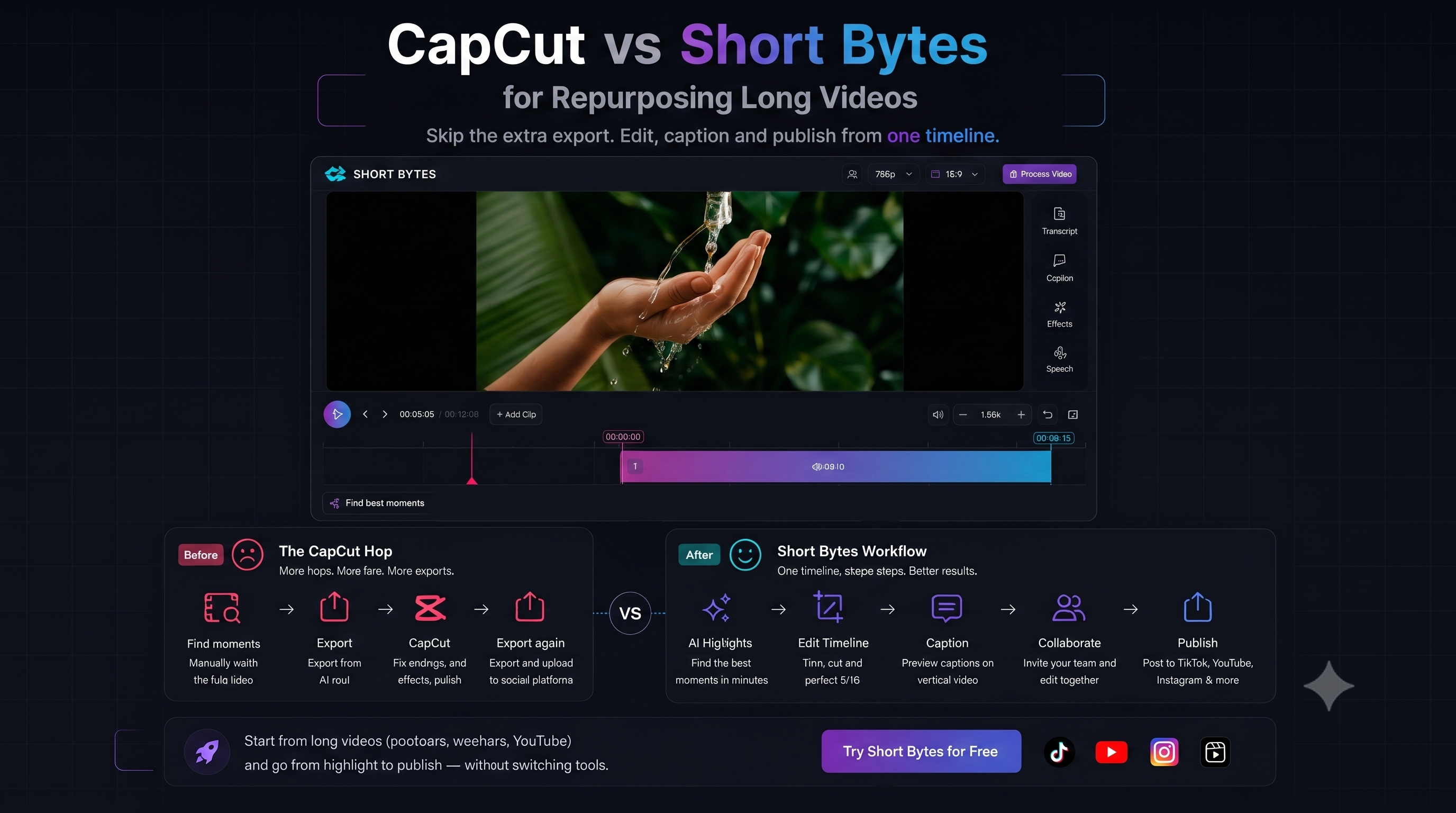
CapCut is everywhere for a reason: fast templates, effects, and a familiar mobile timeline. The question is not “which app is better” but which job you are hiring the tool to do—especially if CapCut is only your second app after Opus or Vizard to fix endings.
Two different jobs
| Job | CapCut shines | Short Bytes shines | | --- | --- | --- | | Film a trend on your phone | Yes | Overkill | | Clip a 90-minute podcast | Manual scrubbing | AI highlights + timeline | | Fix AI endings after Opus/Vizard | Common hop | Finish on the same timeline | | Team revises client hooks | Export + resend | Shared project on paid plans—autosave, presence, conflict banner | | Post to TikTok + YT + IG | Per-platform flow | Publish from one project |
Where CapCut gets painful for repurposing
- No long-source workflow — you are hunting moments by hand in a 60-minute file
- Collaboration — not built for invite-by-email project sharing on the same timeline
- Repurposing at scale — batching ten clips from one webinar means ten manual projects
CapCut remains excellent for native short-form creation. It is less ideal as the hub for podcast, webinar, and YouTube library repurposing.
Where Short Bytes fits instead
- AI-ranked moments land on a multi-segment timeline you can trim
- Reframe landscape to 9:16 with overrides when auto-track drifts
- Captions previewed on vertical video as exported
- Collaboration — invite editors by email on paid plans; presence and conflict banner on save
- Publish to connected social accounts from the editor
Full comparison table: Short Bytes vs CapCut.
Who should use both
Some teams cut and caption in Short Bytes, then add CapCut effects for a specific trend format. That is fine—keep CapCut for trends and effects, not for polish-only ending fixes. Keep the timeline project canonical; export for special effects only when needed.
More on that workflow: Opus alternative if you still finish in CapCut.
Quick decision checklist
Choose CapCut if you shoot vertical natively and need templates today.
Choose Short Bytes if you:
- Start from long YouTube, podcast, or webinar files
- Still hop to CapCut only to fix AI endings
- Need revision rounds with a teammate or client
- Want one project through clip, caption, and publish
Try repurposing in Short Bytes
Compare against your CapCut hop on a real long video—free to explore.
See CapCut-hop pageAlso read: Best AI repurposing tools · Short Bytes vs CapCut · Team collaboration